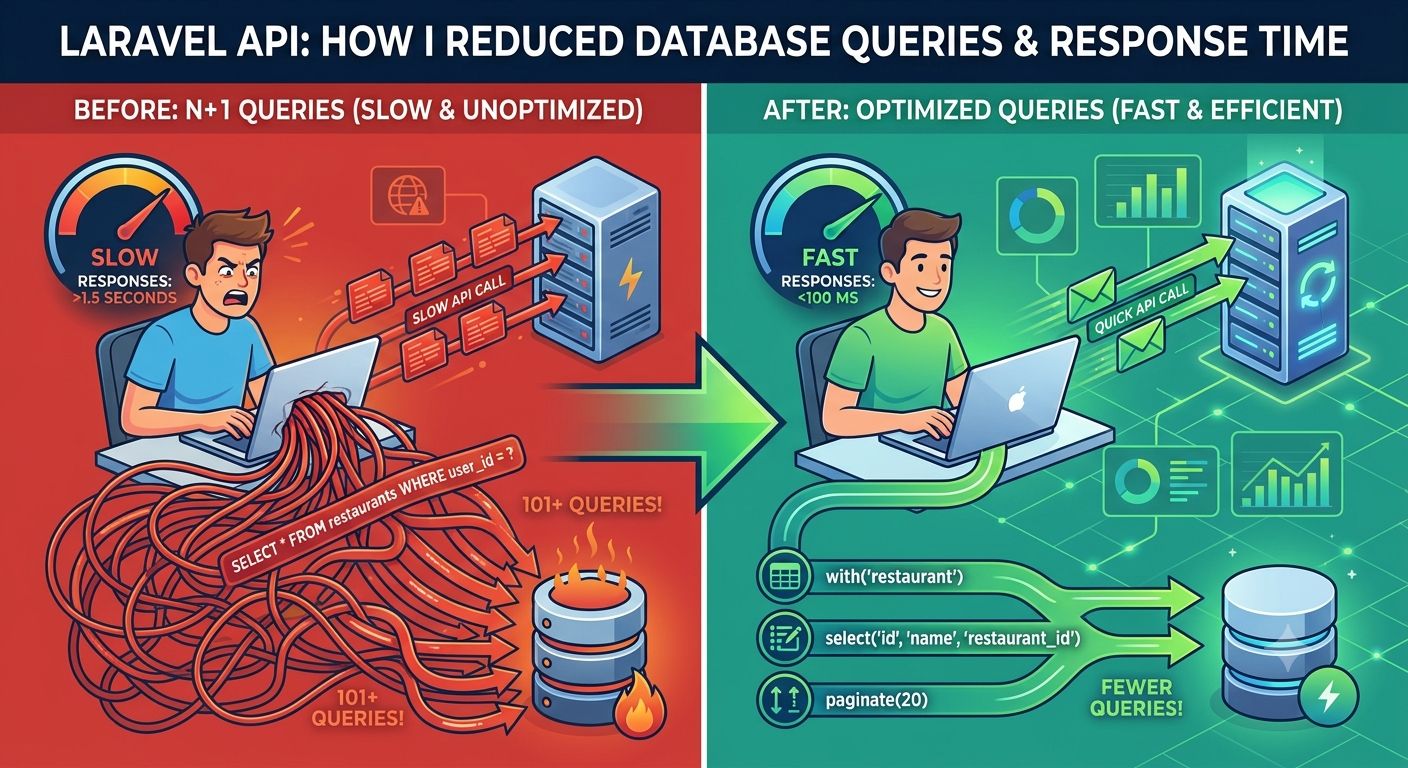
A Laravel API can perform perfectly when an application is small and still become noticeably slower as the database and number of users grow.
In many cases, the problem isn't Laravel itself. The API may simply be doing more database work than necessary.
One of the most common examples is the N+1 query problem—where an application executes an additional database query for individual records instead of loading related data efficiently.
In this article, we'll look at several practical ways to improve Laravel API performance, including:
- Preventing N+1 queries
- Using Eloquent eager loading
- Selecting only required columns
- Paginating large datasets
- Inspecting executed queries
- Using appropriate database indexes
- Choosing the right pagination strategy
The goal isn't to optimize blindly. It's to understand where the API is spending time and reduce unnecessary work.
The N+1 Query Problem
Consider an API that returns users along with their restaurants.
A simple implementation might look like this:
$users = User::all();

foreach ($users as $user) {
    echo $user->restaurant->name;
}
The code is valid Laravel code, but it can result in unnecessary database queries.
The initial query retrieves the users:
SELECT * FROM users;Then, when $user->restaurant is accessed, Laravel may need to execute another query for the relationship.
With 100 users, you could end up with approximately:
1 query  → Fetch users
100 queries → Fetch restaurants

Total: 101 queries
This is known as the N+1 query problem.
The exact number of queries depends on the relationship and how the data is accessed, but the underlying issue is the same: the application is repeatedly querying related data.
As the number of records increases, this can have a significant impact on performance.
The Solution: Eager Loading
Laravel Eloquent provides eager loading to load relationships more efficiently.
Instead of:
$users = User::all();use:
$users = User::with('restaurant')->get();Now Laravel knows that the restaurant relationship is required and can load the related records in advance rather than triggering a separate query for each user.
Conceptually, the difference is:
Without eager loading:

Users
 ↓
User 1 → Restaurant query
User 2 → Restaurant query
User 3 → Restaurant query
...
User 100 → Restaurant query


With eager loading:

Users query
     +
Restaurants query
The actual SQL generated depends on the relationship and query, but the important point is that eager loading prevents unnecessary per-record relationship queries.
Don't Select More Columns Than You Need
Another useful optimization is to avoid retrieving columns that your API doesn't actually need.
For example:
$users = User::with('restaurant')->get();If the API only needs a user's ID, name, and restaurant name, there may be no reason to retrieve every column from both tables.
You can select the required columns:
$users = User::select('id', 'name', 'restaurant_id')
    ->with('restaurant:id,name')
    ->get();
Notice that restaurant_id is still selected from the users table because it is required to match the relationship.
Similarly, the relationship query needs the restaurant's primary key.
This approach can reduce the amount of data transferred from the database and make the API's data requirements clearer.
However, selecting fewer columns should be treated as one optimization—not a substitute for fixing inefficient queries or missing indexes.
Don't Return Thousands of Records at Once
Another common API performance problem is returning an unnecessarily large dataset.
This:
$users = User::with('restaurant')->get();may be acceptable when there are a few hundred records.
But imagine the users table eventually contains 100,000 records.
Loading the entire dataset into memory and returning it through one API request can increase:
- Database workload
- PHP memory usage
- Query execution time
- JSON serialization time
- Network response size
- Frontend processing time
For large result sets, pagination is usually a better approach.
$users = User::select('id', 'name', 'restaurant_id')
    ->with('restaurant:id,name')
    ->paginate(20);
Now the API returns a manageable number of records per request.
Pagination works particularly well for:
- User lists
- Order histories
- Transactions
- Notifications
- Admin dashboards
- Search results
- Product catalogs
paginate() vs cursorPaginate()
For many applications, standard pagination is perfectly adequate:
->paginate(20);Laravel also provides cursor pagination:
->cursorPaginate(20);Cursor pagination can be useful for very large datasets or continuously scrolling data because it doesn't need to calculate the total number of records in the same way traditional pagination does.
For example, it can be useful for:
- Large activity feeds
- Infinite scrolling
- Large transaction lists
- Frequently changing datasets
The right choice depends on how the frontend needs to navigate through the data.
Check the Queries Before Optimizing
One of the most important performance lessons is:
Don't optimize based on assumptions. Measure first.
If an API is slow, find out what queries are actually being executed.
During development, Laravel's query log can be useful:
DB::enableQueryLog();

$users = User::with('restaurant')->get();

dd(DB::getQueryLog());
This can help reveal:
- Repeated queries
- Unexpected relationship queries
- Queries being executed inside loops
- Missing constraints
- Queries returning more data than necessary
For more complex applications, tools such as Laravel Telescope can also help developers inspect application activity and database queries during development.
Database Indexes Matter
Optimizing Laravel code isn't enough if the underlying database queries aren't supported by appropriate indexes.
For example, suppose your application frequently searches users by email:
User::where('email', $email)->first();An appropriate index on the email column can make a substantial difference as the table grows.
Similarly, foreign-key and frequently filtered or sorted columns may need appropriate indexing depending on the application's queries.
For example:
$table->index('status');
$table->index('created_at');
The correct indexes depend on the actual query patterns.
Adding indexes to every column isn't a good strategy either. Indexes consume storage and can add overhead to write operations.
The goal is to index based on real query requirements.
Be Careful With Queries Inside Loops
Another pattern worth checking is database access inside loops.
For example:
foreach ($orders as $order) {
    $customer = User::find($order->user_id);

    // ...
}
If there are 500 orders, this can result in hundreds of additional database queries.
Instead, consider loading the relationship:
$orders = Order::with('user')->get();

foreach ($orders as $order) {
    $customer = $order->user;

    // ...
}
This is another situation where Eloquent relationships and eager loading can significantly simplify the data-access layer.
Use Constraints When Loading Relationships
Eager loading doesn't mean you should always load everything.
You can also constrain relationships.
For example:
$users = User::with([
    'orders' => function ($query) {
        $query->latest()->limit(5);
    }
])->get();
The exact behavior and suitability of constrained eager loading depends on the relationship and Laravel version, so complex cases should be tested with the actual generated queries.
The broader principle is:
Load the data your API actually needs—not every related record available.
Optimize the API Response Too
Database queries are only one part of API performance.
After retrieving the data, Laravel still needs to:
- Build the application objects
- Transform the data
- Serialize it into JSON
- Send the response to the client
Returning a huge nested JSON response can therefore remain expensive even after the database queries are optimized.
API Resources can help define exactly what should be returned:
return UserResource::collection($users);This gives you more control over the API response structure and prevents accidentally exposing unnecessary model attributes.
Before vs After
A typical optimization process might look like this:
| Before | After |
|---|---|
| Relationships accessed inside loops | Eager loading with with() |
get() for very large datasets | paginate() or cursorPaginate() |
| All columns retrieved | Required columns selected |
| Queries executed without inspection | Actual queries measured |
| Missing indexes | Indexes based on query patterns |
| Large unstructured API responses | Controlled API Resources |
| Optimization based on assumptions | Profiling and measurement |
The exact improvement will vary depending on:
- Database size
- Query complexity
- Indexes
- Server resources
- Number of relationships
- API response size
- Network conditions
- Laravel and PHP versions
There is no universal number that every Laravel application will achieve.
A Practical Optimized Example
For a simple user-and-restaurant API, the query might look like:
$users = User::select('id', 'name', 'restaurant_id')
    ->with('restaurant:id,name')
    ->paginate(20);
This addresses several common issues at once:
- Only required user columns are selected
- The restaurant relationship is eager loaded
- The result is paginated
- The API doesn't attempt to load the entire users table
But remember: this isn't necessarily the "fastest possible query" for every application.
The correct optimization depends on the actual requirements and database structure.
Don't Start With Caching
Caching can be extremely useful, but it shouldn't always be the first solution to a slow API.
If an endpoint is executing hundreds of unnecessary queries, adding caching may hide the underlying problem rather than fixing it.
A better approach is usually:
Measure
   ↓
Identify the bottleneck
   ↓
Optimize the query
   ↓
Check indexes
   ↓
Reduce unnecessary data
   ↓
Measure again
   ↓
Add caching if it actually helps
This makes performance improvements more predictable and easier to maintain.
Final Thoughts
When a Laravel API becomes slow, the solution isn't necessarily to upgrade the server or add complicated infrastructure.
Start by looking at what the application is actually doing.
Check for:
- N+1 queries
- Relationships loaded inside loops
- Unnecessary columns
- Large result sets
- Missing pagination
- Missing or inappropriate indexes
- Repeated database queries
- Excessively large API responses
Laravel already provides powerful tools to address many of these problems, including Eloquent eager loading, query builder methods, pagination, cursor pagination, API Resources, and database migrations for indexes.
The key principle is simple:
Don't just make the API work. Make sure it doesn't do unnecessary work.
A well-optimized API should be designed to continue performing efficiently as the application's users, records, and traffic grow.
Building Scalable Laravel Applications
Performance problems are often easier to solve when they are identified during development rather than after an application has accumulated millions of records.
At Auxilone Technology, we build and maintain Laravel-based web applications and APIs with a focus on clean architecture, database efficiency, scalability, and reliable backend development.
Whether you're starting a new Laravel project or improving an existing API, understanding where your application spends its time is the first step toward making it faster and more scalable.
- By Savan Kanzariya